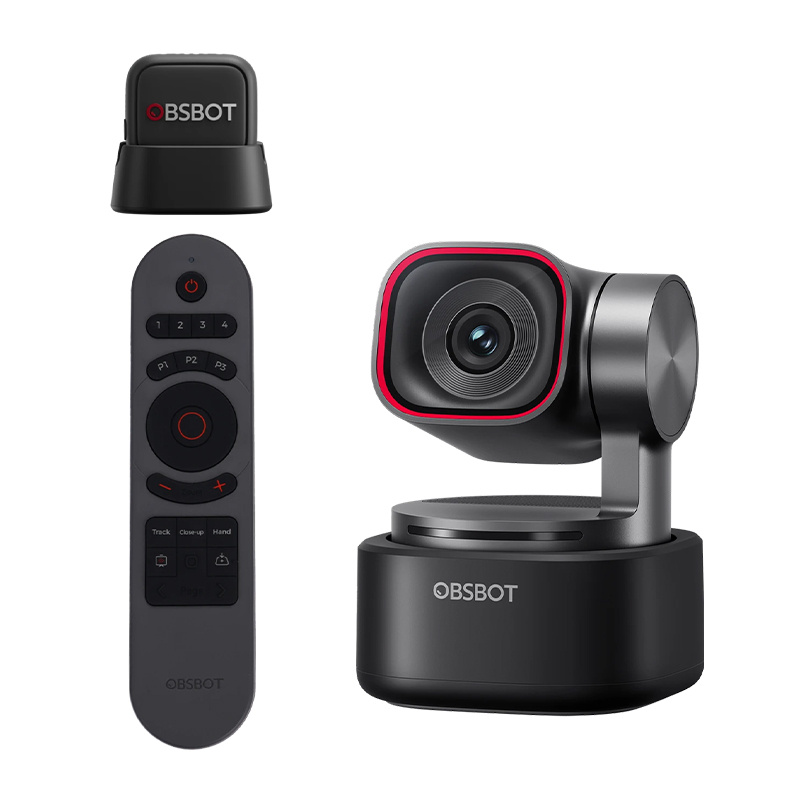
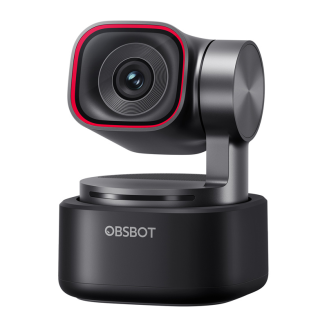
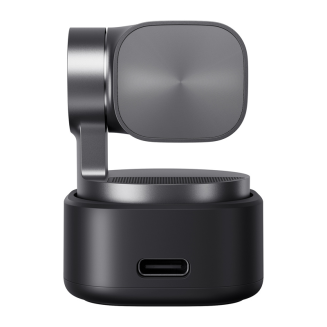
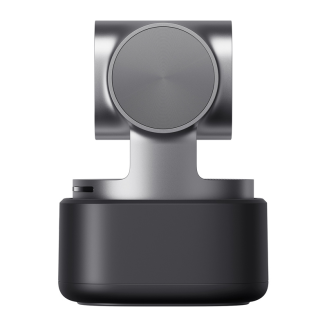
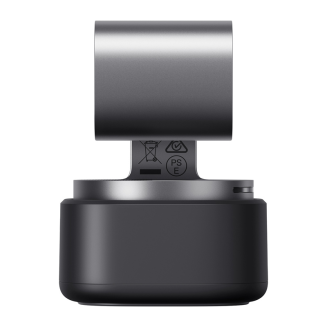
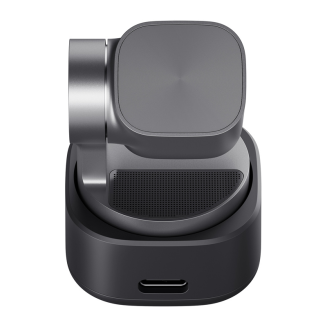
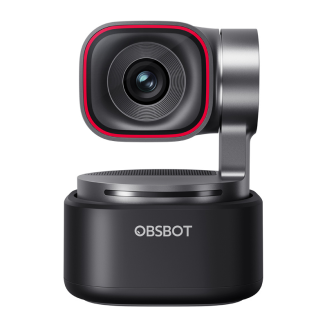
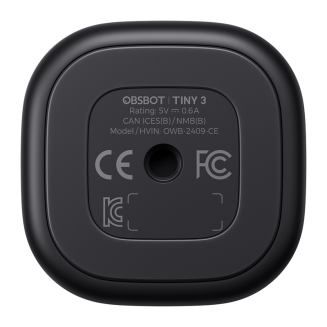
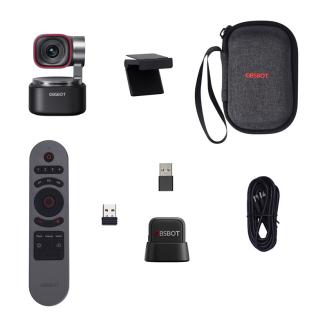
OBSBOT Tiny 3 webcam with remote control and microphone
-
Watch the product:
- Add feedback:
- Code: INN_57796
- Manufacturer: OBSBOT
- Availability: 1 working day
-
- 514.75 EUR
- szt.
BUY NOW AND CREATE YOUR DREAM HOME. DO IT NOW IN 3 SIMPLE STEPS.
Your purchases will be delivered by DPD Courier.
You can pay for your purchases with credit card or bank transfer using safe PayU system or bank transfer.
You've made a good choice. However, if you return the product within 14 days, you'll receive a full refund.
OBSBOT Tiny 3 Webcam with Remote Control and Microphone (OBSBOT Tiny 3 MIC Combo)
OBSBOT Tiny 3 is an advanced and exceptionally compact webcam designed for creators, streamers, online trainers, and remote professionals who expect more than just a static camera. It combines high-quality 4K video, smooth video, intelligent motion tracking, and an advanced audio system, automatically adjusting the frame and sound to match what's happening in front of the lens. AI Tracking 2.0 technology allows the camera to respond not only to movement, but also to the user's framing and position in space. With a built-in gimbal, voice and gesture control, and flexible recording modes, the Tiny 3 lets you focus on presenting, chatting, or creating content—without constantly adjusting settings and without interrupting your work. The kit includes the OBSBOT Tiny Smart Remote 2 and the OBSBOT Vox SE wireless microphone.

An image that looks professional in any environment
The OBSBOT Tiny 3 webcam is designed to provide clear, natural images regardless of lighting conditions and usage scenarios. High quality is ensured by a large 1/1.28" CMOS sensor, which effectively reduces noise and improves image detail, especially in low light. The device performs well both in a bright office and in a dimly lit room, preserving details, realistic colors, and appropriate contrast. DCG HDR (Dual Conversion Gain HDR) technology preserves details in both light and dark areas of the image without the motion blur typical of classic HDR. Automatic white balance with the option of correction ensures color consistency, while the advanced Dual All-Pixel PDAF autofocus ensures fast and precise focusing even during dynamic movements or close-ups. A wide ISO range from 100 to 12,800 further increases the flexibility of working in various lighting conditions.

Built-in gimbal – active motion tracking
Thanks to the built-in 2-axis gimbal, OBSBOT Tiny 3 isn't a static camera; it actively follows the user during recordings and online meetings. A horizontal rotation range of up to ±130° and the ability to tilt the lens from +32° to -60° allow the device to smoothly adjust the frame both while sitting and during standing presentations. The gimbal's high response speed makes movements natural and jerk-free, resulting in a professional image. The tracking system uses AI Tracking 2.0 with Only Me mode, which precisely identifies the user and limits accidental camera switching to other people or objects in the frame. This feature will be particularly appreciated by trainers, teachers, streamers, and presenters who want to stay in the center of the frame without manually moving the camera.

Sound Recording System
The audio system in OBSBOT Tiny 3 uses an intelligent three-microphone system – one omnidirectional and two directional – to precisely capture voice and reduce ambient noise. The microphones utilize Silicon MEMS (Micro-Electro-Mechanical Systems) technology, used in professional audio equipment, ensuring consistent quality and high-precision recordings. The camera offers several specialized recording modes, making it easy to tailor the sound to a specific application – from clean, unprocessed stereo recording in Pure Audio mode, through spatial sound enhanced by AI algorithms, to directional modes focused on the speaker. Also available are Smart Omni Mode, designed for group meetings with 360° recording, and Dual-Directional Mode, which captures sound from the front and rear while eliminating side noise.

Audio that never disappoints
High-precision 24-bit sampling, a 69 dB signal-to-noise ratio, and a frequency range of 50 Hz–20 kHz translate into clear, natural speech sound. Additionally, the camera supports compatibility with external audio devices, including the OBSBOT Vox SE wireless lavalier microphone (included).

Hands-free control
Voice commands allow you to turn the camera on and off, enable or disable tracking, adjust zoom, and switch between saved frame positions without reaching for the mouse or keyboard. This solution is especially useful for presentations, educational recordings, and streams, where smooth workflow and continuous recording are crucial. Voice control is complemented by gesture support, which allows you to point to the object to be tracked and control image zoom in an intuitive and natural way. The AI system also supports automatic framing using Composition Lines and the Face Framing feature, which adjusts the frame to the direction the user is facing. The combination of both control methods allows the camera to respond to the user in real time and adapt to their workflow—there's no need to manually adjust settings.

Precise framing and position recording
Each frame in OBSBOT Tiny 3 can be precisely tailored to the current work scenario and then saved for quick recall. The camera allows you to define custom positions, which include both the gimbal position and the selected frame, allowing you to instantly switch between different shots – for example, a face view, a wider shot, or a shot directed at a desk or whiteboard. The Zone Tracking function also allows you to define zones where the camera actively tracks the user, as well as areas excluded from tracking (Non-Tracking Areas). Saved positions can be activated with voice commands without interrupting the recording or meeting. This solution significantly improves presentations, online training, and live broadcasts, giving you full control over the image without the need to manually reposition the camera.

Smooth video and flexible recording modes
The smoothness of OBSBOT Tiny 3 recordings clearly sets it apart from traditional webcams and ensures the image looks natural even with dynamic movements. The camera allows for extremely smooth video recording at high frame rates, resulting in clearer images during gestures, presentations, or live streams. During active tracking, the Auto Zoom function dynamically adjusts the zoom level, offering various framing styles, such as close-ups, upper body shots, or full-body shots. Combined with the precise gimbal operation and stable framing, this allows for a professional result without shakes or jerks.

Compact design and ergonomics
The Tiny 3 model fits perfectly into a modern workstation without taking up valuable desk space. Weighing just 63g, the housing has been reduced compared to previous generations, making the camera up to several dozen percent more compact and lighter. The integrated gimbal is housed in a compact, robust body that maintains complete stability while maintaining an elegant appearance. This design makes it easy to position the camera optimally relative to the user and quickly move it between workstations – from a stationary office, through mobile setups for remote work, to configurations used for streaming or educational recordings.

Wide compatibility and quick startup
Seamless integration makes OBSBOT Tiny 3 ready to use almost immediately after connection. The camera is plug & play and requires no additional drivers, allowing you to quickly get started on Windows and macOS computers. Stable compatibility with popular video conferencing, streaming, and video recording applications allows you to seamlessly utilize its full capabilities in everyday work. For more demanding settings, such as very smooth video or high-quality recording, the device works best with modern computers equipped with powerful processors, ensuring stable operation and fully responsive intelligent functions.

Dedicated software and personalization
The dedicated OBSBOT software allows you to fully utilize the Tiny 3 camera's capabilities and precisely tailor its operation to your workflow. From the app, you can manage framing, save camera positions, adjust image parameters, and activate intelligent tracking and control functions. The software allows for manual gamma curve adjustment and precise color balance control (Red/Blue Gain). Support for NVIDIA Maxine technology introduces features such as Eye Contact, which maintains eye contact with the viewer, and Green Screen Enhancement, which improves the quality of background keying. Additional tools, such as Picture-in-Picture (PiP) mode, a built-in teleprompter, and RTC mode, expand the camera's production capabilities. Advanced users will also appreciate compatibility with Elgato Stream Deck controllers and support for SDK and OSC protocols.

Remote control and presenter in one
The set includes the OBSBOT Tiny Smart Remote 2, which combines camera remote control with presenting. With a single device, you can manually control gimbal movement, image zoom, and preset frame positions, as well as instantly activate key AI features like person tracking, zoom mode, Desk Mode, and Hand Tracking. The remote also allows for convenient presentation control – it offers slide-changing buttons, full-screen mode, and a laser pointer, making it a practical tool for training sessions, lectures, and live presentations. Physical buttons and an ergonomic layout make camera and presentation operation intuitive even during dynamic presentations, without the need to reach for a mouse, keyboard, or app.

OBSBOT Vox SE wireless microphone included
The OBSBOT Vox SE lavalier microphone significantly expands your audio recording capabilities and provides complete freedom of movement while working. It captures voice with high precision thanks to 48 kHz/24-bit sampling and supports very high SPL levels, which translates into clear, natural speech even with dynamic speech. Wireless transmission guarantees a stable connection and low latency, and a single pairing ensures the microphone automatically connects to the camera each time it's turned on. The Vox SE offers up to 20 hours of continuous operation on a single charge and three levels of noise reduction that can be adjusted to suit the recording conditions. Thanks to its lightweight design and flexible wearing styles, the microphone is ideal for presentations, training, interviews, and recording on the go, allowing you to maintain professional sound quality without restricting the user's mobility.

Included:
- OBSBOT Tiny 3 Webcam
- OBSBOT Tiny Smart Remote 2 Remote Control
- OBSBOT Vox SE Microphone
- OBSBOT Tiny 3 Adjustable Holder
- USB-C to USB-C Cable
- USB-C to USB-A Adapter
- Storage Case
General
| Producent | OBSBOT |
|---|---|
| Model | Tiny 3 |
| Wymiary | 37 × 37 × 49 mm |
| Waga | 63 g |
Kamera
| Sensor | 1/1.28" CMOS |
|---|---|
| Effective Pixels | 50 MP |
| Aperture | f/1.8 |
| Maximum Video Resolution | 4K @ 30 fps / 1080p @ 120 fps |
| Resolution and Frame Rate | MJPEG: 3840 × 2160 @ [30, 29.97, 25, 24, 20, 15] / 1920 × 1080 @ [120, 60, 59.94, 50, 30, 29.97, 25, 24, 20, 15] / 1280 × 720 @ [120, 60, 59.94, 50, 30, 29.97, 25, 24, 20, 15] 1920 × 1440 @ [30, 29.97, 25, 24, 20, 15] / 1280 × 960 @ [30, 29.97, 25, 24, 20, 15] YUV: 640 × 480 @ [30, 25, 24, 20, 15] / 640 × 360 @ [30, 25, 24, 20, 15] |
| Range Zoom | 4× digital zoom |
| Field of view (FOV – diagonal) | 82.4° (4:3) 74° (16:9) |
| Field of view (FOV – horizontal) | 70° |
| Equivalent focal length | 24 mm |
| Focus type | AF (PDAF) / MF |
| Focus range | 14 cm – ∞ |
| HDR | Yes, up to 60 fps |
| Exposure compensation | ±3 EV |
| ISO | 100–12800 (with HDR on, max. ISO 6400) |
| Electronic Shutter | 1/12800–1/30 s |
White Balance and Color
| White Balance | Auto |
|---|---|
| Auto White Balance Adjustment | Horizontal axis (left-right): B-A, 0.25 step, range 0-7 Vertical axis (up-down): G-M, 0.25 step, range 0-7 |
| Color Temperature | 2000-10000K |
| Color Gain | Red Gain: 0-255 Blue Gain: 0-255 |
Connectivity
| Interfejs | USB |
|---|---|
| Standard USB | USB 2.0 |
| Standard wideo | UVC |
Gimbal
| Konstrukcja | 2-osiowy gimbal |
|---|---|
| Montaż gimbala | Niewymienny |
| Zakres sterowania | Pan: ±130° Tilt: +32° do −60° |
| Zakres mechaniczny | Pan: ±150° Tilt: ±90° |
| Maksymalna prędkość sterowania | 120°/s |
Audio
| Built-in Microphone | Yes |
|---|---|
| Audio System | Intelligent directional microphone system (1 × omnidirectional + 2 × directional) |
| Audio Modes | (at 1080p @ 120 fps only Smart Omni Mode available) Pure Audio Mode – independent left/right channels, no signal processing, pure original sound Spatial Audio Mode – independent left/right channels, enhanced spatiality thanks to AI and dynamic amplification Smart Omni Mode – even sound recording from all directions, intelligent balance of voice and surroundings Directional Mode – precise sound recording from the front, suppressing ambient noise Dual-Directional Mode – sound recording from the front and back, filtering side sounds (all modes except Pure Audio Mode use automatic amplification) and AI noise reduction) |
| External audio devices | Supports connection to Vox SE |
Sterowanie
| Sterowanie głosowe | Hi Tiny / Sleep Tiny Track me / Unlock me Zoom in / Zoom out Pozycja 1 / 2 / 3 |
|---|---|
| Sterowanie gestami | Wybór celu Zoom (niestandardowy mnożnik + dynamiczne przybliżanie/oddalanie) |
Zasilanie
| Zasilanie | 5 V / 0,6 A |
|---|
Wymagania systemowe
| Windows | Windows 10 (64-bit) or later |
|---|---|
| macOS | macOS 11.0 or later |
| Up to 1080p 120 fps or 4K recommended | Apple: MacBook Pro (2020, M1 or later), MacBook Air (2020, M1 or later), Mac mini (2020, M1 or later), iMac (2021, M1 or later) PC: CPU: 10th Generation Intel® Core™ i5 or later, RAM: 8 GB |
Working Conditions
| Camera operating temperature | from 0°C to 40°C |
|---|
Microphone
| Dimensions | 28.53 × 25.47 × 11.5 mm (length × width × height) |
|---|---|
| Weight | Approx. 9 g (without magnetic clip) |
| Operating time | Up to 20 hours |
| Microphone pickup pattern | Omnidirectional |
| Sensitivity | -37 dBFS ±1 dBFS @ 1 kHz, 94 dB SPL |
| Maximum sound pressure level (SPL) | 123 dB SPL |
| Signal-to-noise ratio (SNR) | 68 dBA |
| Frequency Response | 50 Hz – 20 kHz |
| Sampling Rate and Bit Depth | 48 kHz / 24-bit |
| Wireless Transmission Mode | GFSK 2 Mbps |
| Battery Voltage | 3.7 V (Actual Operating Voltage: 3.3–4.4 V) |
| Operating Range | Up to 100 m (measured in an open environment free from interference and obstacles – approximate value) |
| Battery Capacity | 170 mAh |
| Operating Temperature Range | From 0°C to 40°C |
| Delay | 22 ms |
Ask a question about the product. Our team will be happy to provide a detailed answer to your inquiry.
 Polish