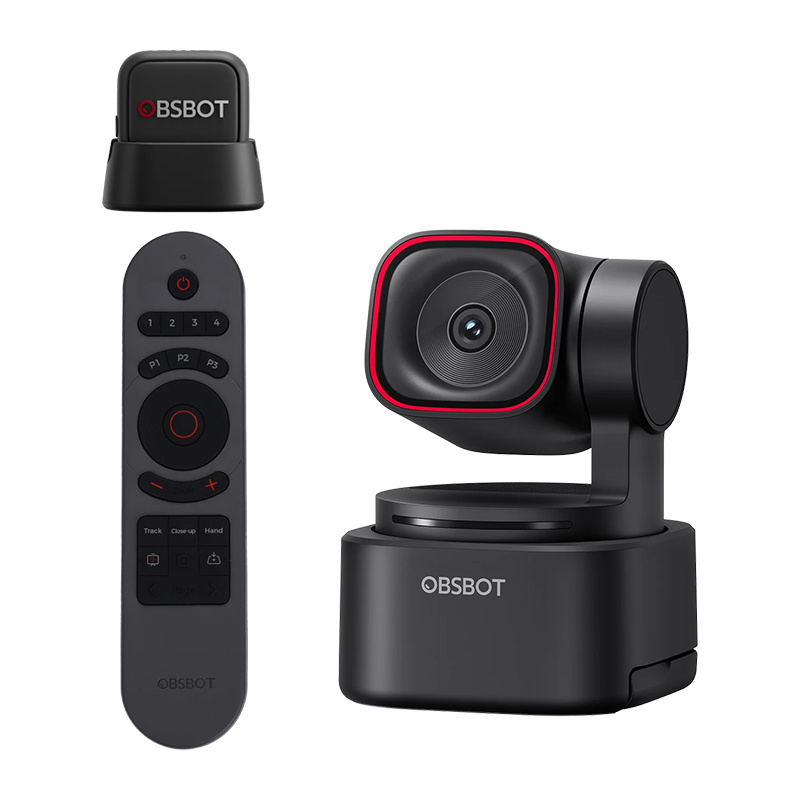
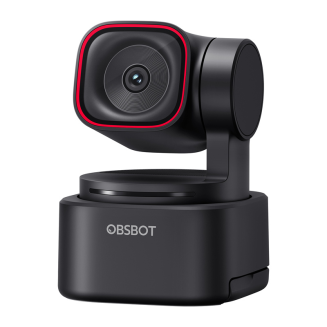
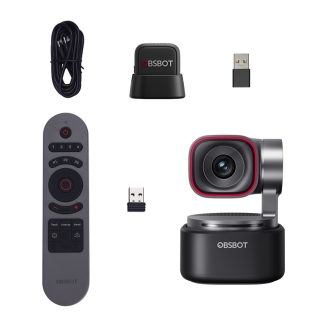
OBSBOT Tiny 3 Lite Webcam with Remote and Microphone
-
Watch the product:
- Add feedback:
- Code: INN_57799
- Manufacturer: OBSBOT
- Availability: 1 working day
-
- 329.75 EUR
- szt.
BUY NOW AND CREATE YOUR DREAM HOME. DO IT NOW IN 3 SIMPLE STEPS.
Your purchases will be delivered by DPD Courier.
You can pay for your purchases with credit card or bank transfer using safe PayU system or bank transfer.
You've made a good choice. However, if you return the product within 14 days, you'll receive a full refund.
OBSBOT Tiny 3 Lite Webcam with Remote and Microphone
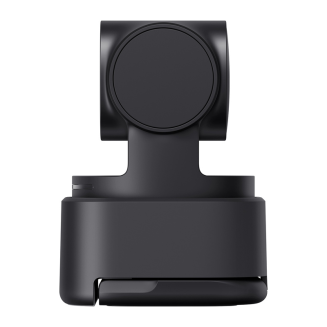
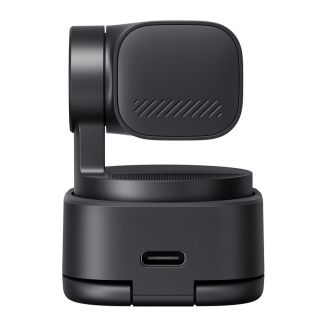
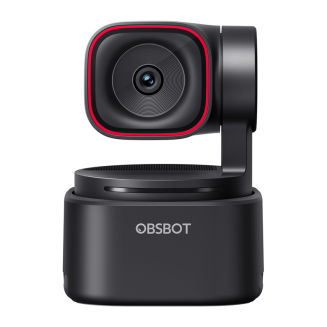
OBSBOT Tiny 3 Lite is a modern webcam that combines 4K video, advanced AI features, and studio-grade spatial audio in a compact form factor. Designed for creators, streamers, online educators, and remote professionals. With intelligent motion tracking, voice and gesture control, smooth video up to 120 fps, and powerful creative software, the Tiny 3 Lite automatically adjusts the frame and audio to the situation—letting you focus on working, learning, or creating content without constantly adjusting settings. The kit includes the OBSBOT Tiny Smart Remote 2 and the OBSBOT Vox SE wireless microphone.

Advanced 4K image in all conditions
The OBSBOT Tiny 3 Lite boasts a 1/2" CMOS sensor based on the Exmor RS architecture with Quad Bayer technology, ensuring clear, detailed images and excellent performance in low light. The Exmor RS stacked CMOS architecture separates the light-recording layer from the signal-processing layer, resulting in faster data readout, improved detail, and more effective HDR performance in high-contrast scenes. Quad Bayer technology combines four adjacent pixels into one larger pixel, increasing the sensor's sensitivity and improving image quality in low light. The camera records video in 4K at 30 frames per second and offers 1080p up to 120 fps, which translates into exceptionally smooth movement and the ability to create impressive slow-motion shots. The wide sensitivity range of ISO 100-6400 allows you to preserve natural colors and details both in a bright office and when recording in low light. HDR support further improves the balance between light and dark parts. image, so the face remains clearly visible even in high-contrast scenes.

Intelligent Tracking and Dynamic Framing
The OBSBOT Tiny 3 Lite camera uses AI Tracking 2.0, which automatically recognizes the user and keeps them centered in the frame regardless of movement, position changes, or work pace. The system offers Only Me mode, which precisely locks on to a single user, ignoring bystanders and accidental background movements, significantly reducing the risk of losing focus or erroneously switching tracking. The Auto Zoom function dynamically adjusts the frame to the scene, offering a variety of shot styles—from close-ups to full-body shots—and Zone Tracking lets you define active and inactive tracking areas. Additionally, the Face Framing function automatically adjusts the frame composition to the direction the face is facing, ensuring more natural and balanced shots during conversations, interviews, and podcasts. The camera also supports Hand Tracking as a dedicated AI mode, ideal for cooking, DIY, or manual presentations, where tracking the hand rather than the entire body is crucial.

Studio-quality surround audio
The audio recording system is designed for maximum clarity in real-world conditions. The camera utilizes a three-microphone array of Silicon MEMS microphones—one omnidirectional and two directional—manufactured using semiconductor technology, ensuring consistent quality, high precision, and significantly lower distortion than standard electret microphones. The MEMS microphones maintain sound clarity even at very high volume levels (up to 130 dB SPL), offering a flat 50 Hz–20 kHz response and a 69 dB signal-to-noise ratio, resulting in natural, full-bodied speech. Five audio modes are available to the user: Pure Audio Mode for recordings requiring full control in post-production, Spatial Audio Mode for creating a spatial experience, Smart Omni Mode for group meetings, Directional Mode for working in noisy environments, and Dual-Directional Mode for face-to-face conversations where voice separation is essential.

Voice Locator – sound that guides the frame
OBSBOT Tiny 3 Lite not only records sound but also recognizes its direction using the Voice Locator feature. Using spatial audio analysis, the camera automatically turns the lens towards the speaker and begins active tracking without the need for manual intervention. Combined with voice control, this solution allows you to start a meeting, presentation, or recording from anywhere in the room – without having to walk up to the device or interrupt your work. This feature is especially useful for interviews, team meetings, and dynamic recordings, where natural interaction and smooth footage are crucial.

Voice Control
Voice control allows you to control the camera naturally and completely touchlessly, significantly improving the comfort of work during meetings, presentations, and recordings. Using simple voice commands, you can wake up or put the device to sleep, turn tracking on or off, adjust image zoom, and switch saved frame positions—all without reaching for the mouse, keyboard, or remote control. This solution will be particularly appreciated by those conducting online training, streaming, or standing presentations, where smooth delivery and continuous recording are crucial. Thanks to the integration of voice control with AI systems, the OBSBOT Tiny 3 Lite responds instantly and precisely, adapting to the user's workflow and eliminating the need to manually control settings during operation.
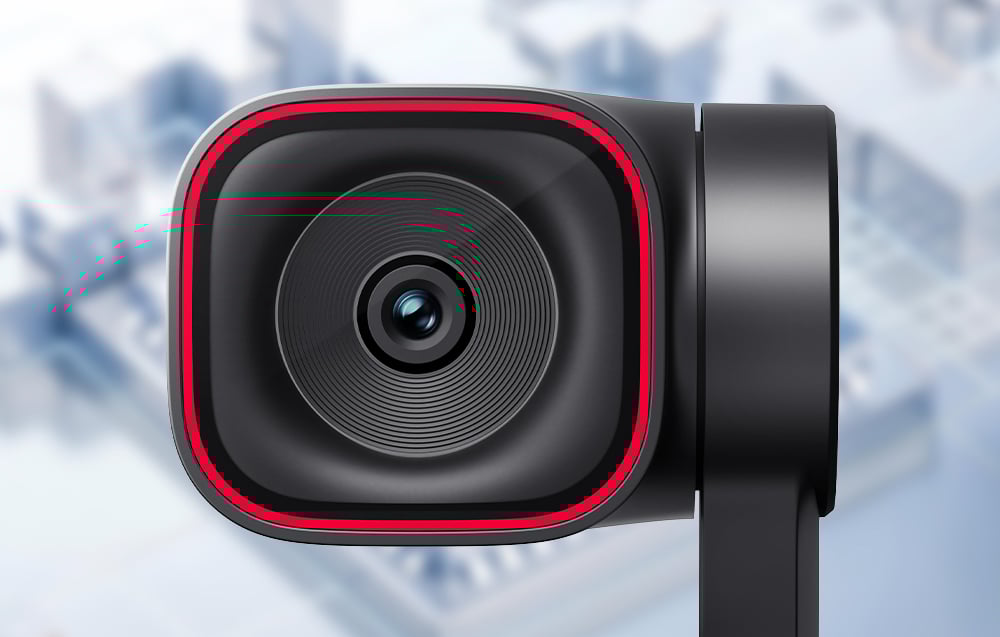
Remote camera control in real time
The RTC Remote Interaction feature extends the capabilities of the OBSBOT Tiny 3 Lite beyond standard webcam applications, enabling remote control of the device via a web browser—without the need to install additional software. You can adjust camera movement (pan, tilt, zoom), select an AI tracking target, and adjust frame settings in real time, while simultaneously viewing HD video with ultra-low latency. Transmission operates in 720p with a latency of less than 200 ms, allowing you to truly "direct" a shot remotely—even when the camera and operator are in different locations. This solution is ideal for remote recording direction, online training, monitoring, or team collaboration where the operator and camera are in different locations. Tiny 3 Lite thus allows you to maintain full control of the shot—regardless of your location. Note: RTC Remote Interaction is an OBSBOT cloud feature and will require an active subscription after its commercial launch.

Compact design and versatile installation
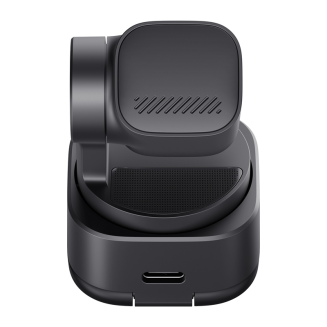
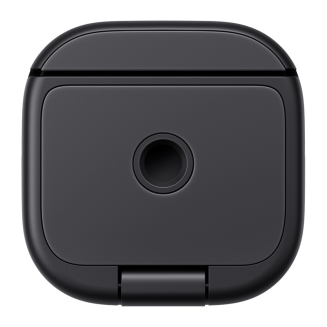
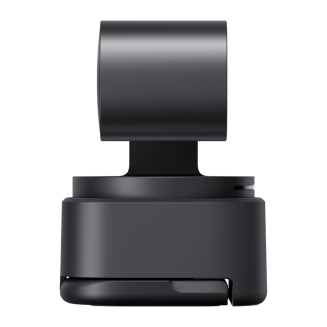
The compact body, weighing just 73g, allows the camera to easily fit on a desk, monitor, or work bag without dominating your workspace. The integrated 2-axis gimbal ensures stable and smooth tracking while allowing precise viewing angle adjustments to suit any scenario. The built-in stand allows for quick setup without additional accessories, and a standard 1/4" thread allows for tripod mounting. The design supports various installation modes—classic, upright, downward, and inverted—making the Tiny 3 Lite ideal for both office work and demo, educational, or creative recordings where flexible positioning is key.
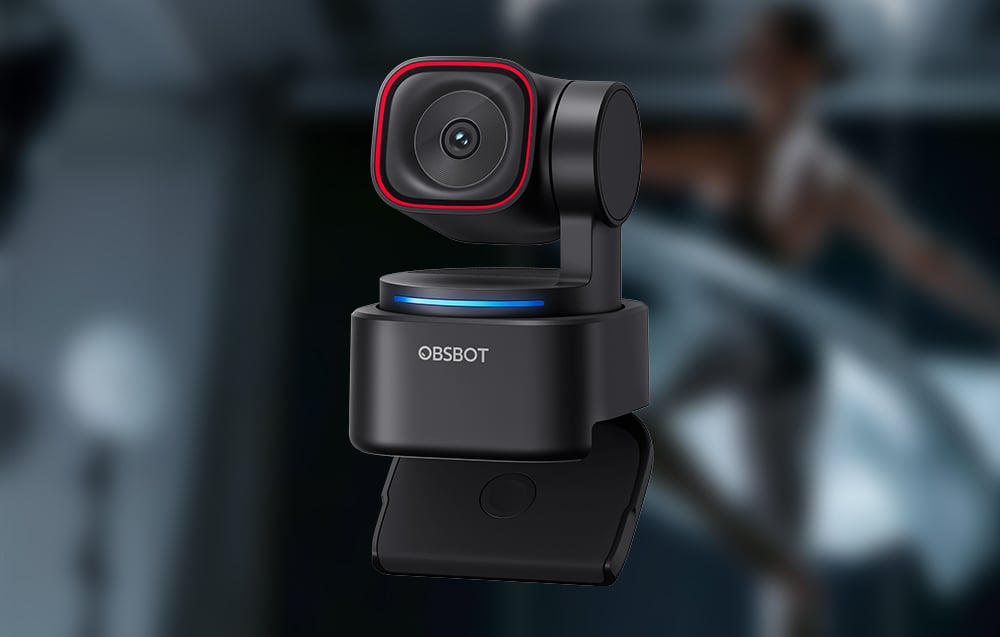
Dedicated software
OBSBOT Tiny 3 Lite works with the extensive OBSBOT Center software, allowing you to fully utilize its potential and precisely customize its operation to suit your workflow. From the app, you can manage framing, activate AI functions, save preset gimbal positions, and manually adjust image parameters such as exposure, gamma curve, and color balance (Red/Blue Gain). For more advanced applications, professional image adjustment tools are also available, such as Exposure Curve (precise control of shadows, midtones, and highlights without changing the overall exposure) and AWB Shift (precise adjustment of the automatic white balance towards warmer or cooler shades). The camera also offers Beauty Mode and NVIDIA Maxine Eye Contact, which corrects line of sight in real time so your interlocutor maintains eye contact even when you're looking at the screen. Additionally, Green Screen Enhancement improves background keying, providing cleaner edges and a more natural effect when working with a green screen.

Production tools for recording and broadcasting
Built-in creative tools significantly expand the camera's capabilities for online work and content creation. Picture-in-Picture (PiP) mode allows you to simultaneously present camera footage and screen content, perfect for training, presentations, and tutorials. An integrated teleprompter facilitates smooth recording without taking your eyes off the lens, while the overlay feature allows you to add graphics, text, clocks, and informational elements directly to the video stream. In OBSBOT Center, you can also upload your own video clip or image to display during breaks in the live broadcast, maintaining a professional stream without any "dead" frames. These features make the Tiny 3 Lite a complete tool for broadcasting, education, and creating professional video content—without the need for additional software.

Virtual presence and VTubing without additional equipment
The Tiny 3 Lite also offers advanced virtual features with OBSBOT Avatar & Virtual Voice, enabling the creation of a complete VTubing system without the need for additional cameras, motion sensors, or complex software. Thanks to motion capture and intelligent camera operation, users can control pre-made avatars, use pre-defined scenes, and change their voice in real time. This solution allows you to start a virtual broadcast almost instantly – simply select your character and environment to conduct streams, presentations, or online meetings virtually, while maintaining natural movement expression and professional-quality dynamics.

OBSBOT Ecosystem and Expansion Options
The OBSBOT Tiny 3 Lite camera is designed as part of a broader ecosystem that allows you to easily expand your recording setup as your needs grow. The device works with the OBSBOT Vox SE wireless microphone, providing complete freedom of movement and clear, cable-free sound, as well as the OBSBOT Tiny Smart Remote 2, enabling physical control of the camera's frame and AI functions. Support for Elgato Stream Deck controllers, SDK and OSC protocols, and the ability to extend the video signal using UVC to HDMI or NDI adapters make the Tiny 3 Lite a seamless fit for both simple desktop setups and more advanced streaming or educational setups.
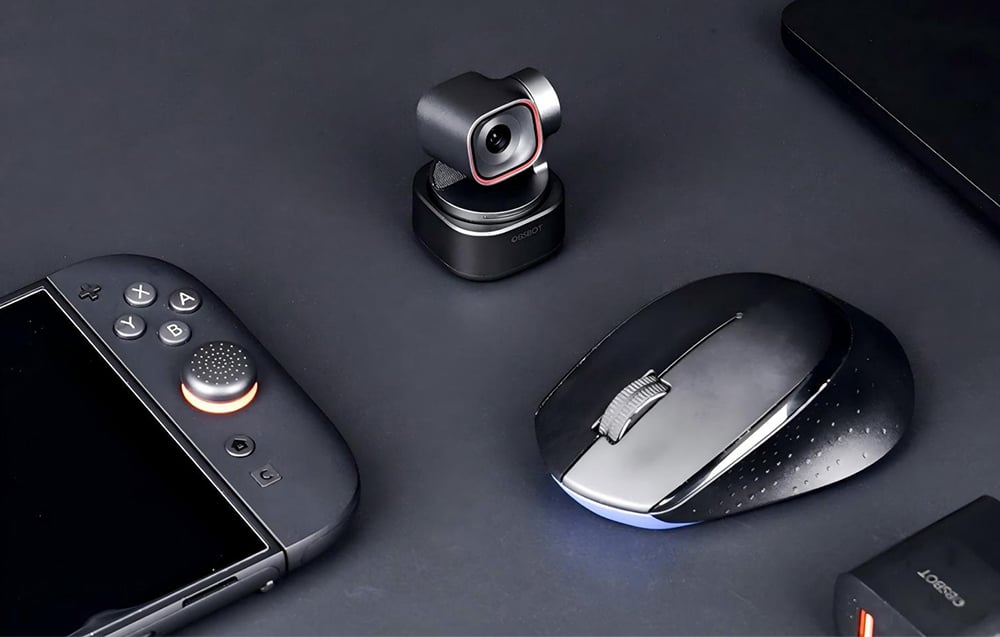
Remote control and presenter in one
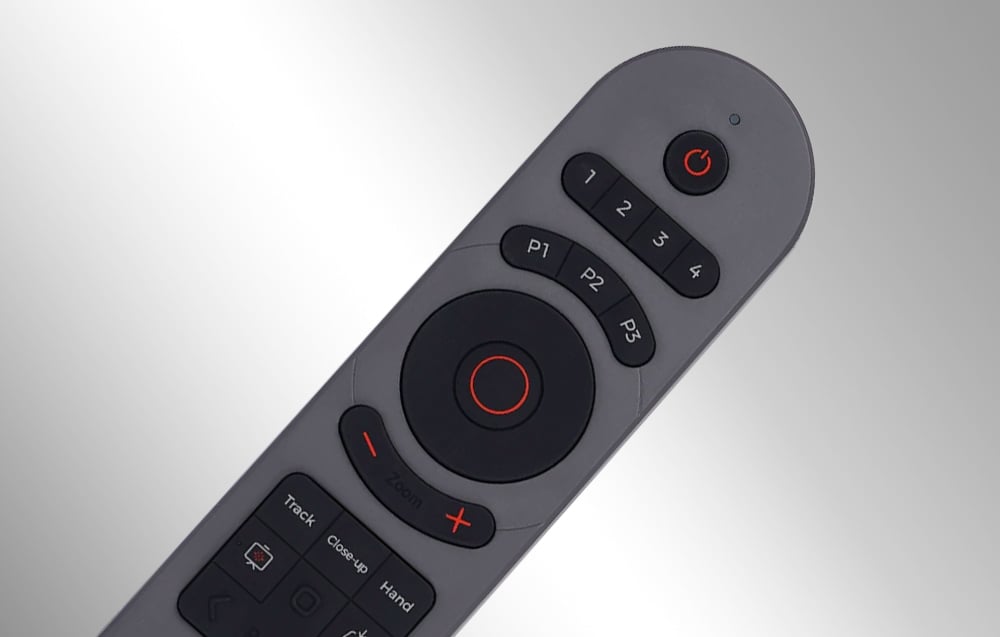
The set includes the OBSBOT Tiny Smart Remote 2, which combines camera remote control with presenting. With a single device, you can manually control gimbal movement, image zoom, and preset frame positions, as well as instantly activate key AI features like person tracking, zoom mode, Desk Mode, and Hand Tracking. The remote also allows for convenient presentation control – it offers slide-changing buttons, full-screen mode, and a laser pointer, making it a practical tool for training sessions, lectures, and live presentations. Physical buttons and an ergonomic layout make camera and presentation operation intuitive even during dynamic presentations, without the need to reach for a mouse, keyboard, or app.
OBSBOT Vox SE wireless microphone included
The OBSBOT Vox SE lavalier microphone significantly expands your audio recording capabilities and provides complete freedom of movement while working. It captures voice with high precision thanks to 48 kHz/24-bit sampling and supports very high SPL levels, which translates into clear, natural speech even with dynamic speech. Wireless transmission guarantees a stable connection and low latency, and a single pairing ensures the microphone automatically connects to the camera each time it's turned on. The Vox SE offers up to 20 hours of continuous operation on a single charge and three levels of noise reduction that can be adjusted to suit the recording conditions. Thanks to its lightweight design and flexible wearing styles, the microphone is ideal for presentations, training, interviews, and recording on the go, allowing you to maintain professional sound quality without restricting the user's mobility.

Included:
- OBSBOT Tiny 3 Lite Webcam
- OBSBOT Tiny Smart Remote 2 Remote Control
- OBSBOT Vox SE Microphone
- USB-C to USB-C Cable
- USB-C to USB-A Adapter
General
| Producent | OBSBOT |
|---|---|
| Model | Tiny 3 Lite |
| Wymiary | 41 × 41 × 58 mm |
| Waga | 73 g |
Kamera
| Sensor | 1/2" CMOS |
|---|---|
| Effective Pixels | 48 MP |
| Aperture | f/1.8 |
| Maximum Video Resolution | 4K @ 30 fps / 1080p @ 120 fps |
| Resolution and Frame Rate | MJPEG: 3840 × 2160 @ [30, 29.97, 25, 24, 20, 15] / 1920 × 1080 @ [120, 60, 59.94, 50, 30, 29.97, 25, 24, 20, 15] / 1280 × 720 @ [120, 60, 59.94, 50, 30, 29.97, 25, 24, 20, 15] YUV: 640 × 480 @ [30, 25, 24, 20, 15] / 640 × 360 @ [30, 25, 24, 20, 15] |
| Zoom Range | 4× Digital Zoom |
| Field of View (FOV – diagonal) | 79.1° (4:3) 72° (16:9) |
| Field of View (FOV – (horizontal) | 66.9° |
| Equivalent Focal Length | 25 mm |
| Focus Type | AF (PDAF) / MF |
| Focus Range | 10 cm – ∞ |
| HDR | Yes, up to 30 fps |
| Exposure Compensation | ±3 EV |
| ISO | 100–6400 |
| Electronic Shutter | 1/12,800 – 1/30 s |
White Balance and Color
| White Balance | Auto |
|---|---|
| Auto White Balance Adjustment | Horizontal axis (left-right): B-A, 0.25 step, range 0-7 Vertical axis (up-down): G-M, 0.25 step, range 0-7 |
| Color Temperature | 2000-10000K |
| Color Gain | Red Gain: 0-255 Blue Gain: 0-255 |
Connectivity
| Interfejs | USB |
|---|---|
| Standard USB | USB 2.0 |
| Standard wideo | UVC |
Gimbal
| Konstrukcja | 2-osiowy gimbal |
|---|---|
| Montaż gimbala | Niewymienny |
| Zakres sterowania | Pan: ±130° Tilt: +32° do −60° |
| Zakres mechaniczny | Pan: ±150° Tilt: ±90° |
| Maksymalna prędkość sterowania | 120°/s |
Audio
| Built-in Microphone | Yes |
|---|---|
| Audio System | Intelligent directional microphone system (1 × omnidirectional + 2 × directional) |
| Audio Modes | (at 1080p @ 120 fps only Smart Omni Mode available) Pure Audio Mode – independent left/right channels, no signal processing, pure original sound Spatial Audio Mode – independent left/right channels, enhanced spatiality thanks to AI and dynamic amplification Smart Omni Mode – even sound recording from all directions, intelligent balance of voice and surroundings Directional Mode – precise sound recording from the front, suppressing ambient noise Dual-Directional Mode – sound recording from the front and back, filtering side sounds (all modes except Pure Audio Mode use automatic amplification) and AI noise reduction) |
| External audio devices | Supports connection to Vox SE |
Sterowanie
| Sterowanie głosowe | Hi Tiny / Sleep Tiny Track me / Unlock me Zoom in / Zoom out Pozycja 1 / 2 / 3 |
|---|---|
| Sterowanie gestami | Wybór celu Zoom (niestandardowy mnożnik + dynamiczne przybliżanie/oddalanie) |
Zasilanie
| Zasilanie | 5 V / 0,5 A |
|---|
Wymagania systemowe
| Windows | Windows 10 (64-bit) or later |
|---|---|
| macOS | macOS 11.0 or later |
| Up to 1080p 120 fps or 4K recommended | Apple: MacBook Pro (2020, M1 or later), MacBook Air (2020, M1 or later), Mac mini (2020, M1 or later), iMac (2021, M1 or later) PC: CPU: 10th Generation Intel® Core™ i5 or later, RAM: 8 GB |
Working Conditions
| Camera operating temperature | from 0°C to 40°C |
|---|
Microphone
| Compatibility | OBSBOT Tiny 3/3 Lite Webcams |
|---|---|
| Dimensions | 28.53 × 25.47 × 11.5 mm (length × width × height) |
| Weight | Approx. 9 g (without magnetic clip) |
| Operating Time | Up to 20 hours |
| Microphone Pick-up Pattern | Omnidirectional |
| Sensitivity | -37 dBFS ±1 dBFS @ 1 kHz, 94 dB SPL |
| Maximum Sound Pressure Level (SPL) | 123 dB SPL |
| Signal-to-Noise Ratio (SNR) | 68 dBA |
| Frequency Response | 50 Hz – 20 kHz |
| Sampling Rate and Bit Depth | 48 kHz / 24-bit |
| Wireless Transmission Mode | GFSK 2 Mbps |
| Battery Voltage | 3.7 V (Actual Operating Voltage: 3.3–4.4 V) |
| Operating Range | Up to 100 m (measured in an open environment free from interference and obstacles - approximate value) |
| Capacity Battery | 170 mAh |
| Operating temperature range | 0°C to 40°C |
| Latency | 22 ms |
Ask a question about the product. Our team will be happy to provide a detailed answer to your inquiry.
 Polish